
I was scrolling through X at the exact hour when “just checking one tweet” turns into accidentally wandering into the future of the web.
My feed was a blur of 2026’s favorite buzzwords: AI agents, the “agentic web,” and MCP. Somewhere in the middle, I landed on a post by James Grierson, Automattic’s Head of Global Expansion, making the case that WordPress is becoming “the operating system of the agentic web.”
I squinted.
WordPress? An operating system?
The same place where I’ve spent years clicking through Posts, Pages, and Plugins?
But James’s point was deeper: AI agents need a place to work. They need a foundation that already understands content, permissions, commerce, users, media, plugins, and APIs. They don’t just need pages to read; they need infrastructure they can safely work with.
It was an interesting theory… Until, a few scrolls later, I found something that made the operating-system metaphor visible.
I stumbled upon a GitHub repo called WordPress Desktop Mode. No glossy landing page, just a wonderfully strange promise: turn /wp-admin into a desktop-style workspace, complete with windows, a dock, and wallpapers. Basically, /wp-admin had put on a tiny operating-system costume.
Suddenly, the two ideas collided.
James was describing the invisible infrastructure: WordPress as a foundation for AI agents. Desktop Mode was showing me the visible version: WordPress as a workspace humans can actually move around in.
So I did the only thing a curious person with a site can do:
Plugins → Add New → Upload Plugin → Activate.
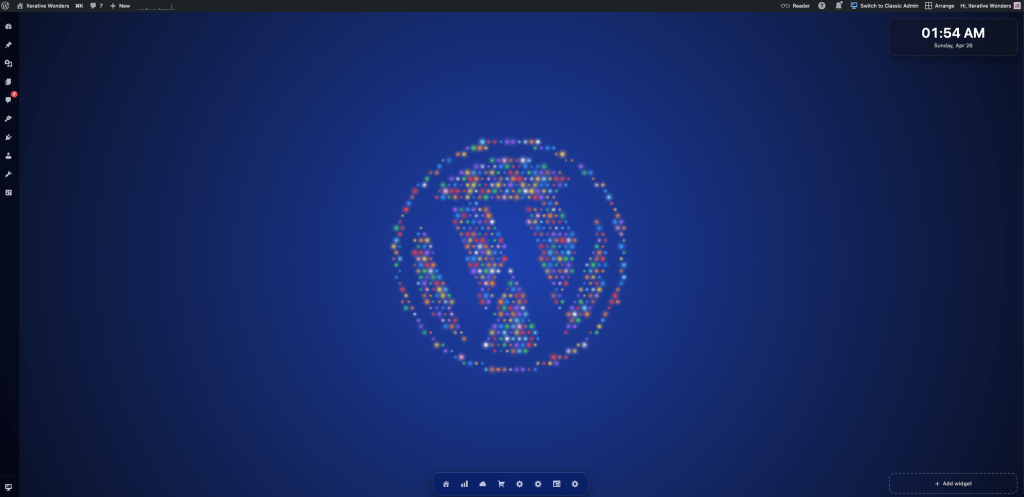
My dashboard, suddenly looking suspiciously like a workspace.
At first, I explored it the way every curious WordPress person explores a new interface: with no plan, and too many clicks.
Posts opened in one window. Media opened in another. Settings became something I could move, minimize, and bring back only when I actually needed to look it in the eye.
Then I did the thing: I snapped two windows side by side.
Nothing dramatic happened in the technical sense. WordPress did not suddenly become macOS. But my mental model of what I was looking at shifted completely.

For years, /wp-admin has felt like a sequence of rooms: click Posts, enter Posts. Click Media, leave Posts. Click Settings, immediately question all your life choices.
Desktop Mode made wp-admin feel less like a control panel and more like a workspace.
I had Posts open on one side and Media on the other, with the familiar WordPress admin menu reimagined as a dock on the left and plugin shortcuts sitting in the taskbar at the bottom. I even added a wallpaper, because apparently, even the back end of a website deserves a little interior design.
And that is exactly where James’s phrase started to make sense.
Not because Desktop Mode is the agentic web. Obviously not. No AI agent emerged from the dock and offered to optimize my permalinks.
But because it felt like the human-readable version of a much bigger shift: WordPress becoming an environment where work happens, not just a place where content is stored.
For humans, that environment can look like windows, docks, Spaces, and command palettes.
For AI agents, it looks more like APIs, permissions, MCP tools, and WordPress “Abilities” – structured actions a site can expose, with defined inputs, outputs, and permission checks, so software can understand what it can safely ask WordPress to do.
Same idea, different interface.
One gives me something to click.
The other gives agents something to call.
Leave a Reply