
Let’s talk about cache.
No, not cash.
Cache. Pronounced exactly like cash, but unfortunately, it won’t make you rich.
It might, however, make your website considerably faster.
And to understand how, we’re going to open a bakery.
Yes, a bakery.
Trust the process.
The Bakery That Had a Problem
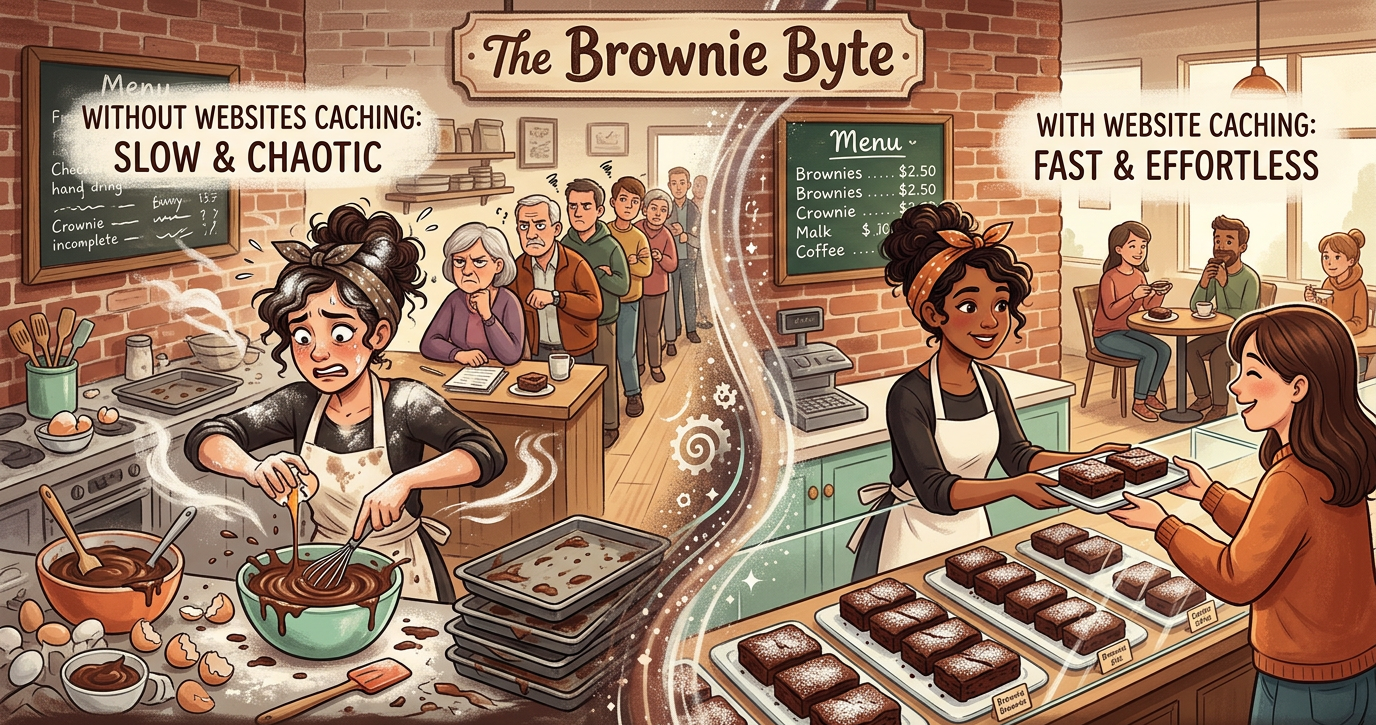
Meet Betty. Betty owns The Brownie Byte.
Her brownies are incredible. Life-changing, even. People are lining up around the block.
There’s just one tiny problem: Betty insists on baking every single brownie from scratch, after each customer orders it.
- Customer #1: “One brownie, please!”
Betty grabs flour, cracks eggs, mixes chocolate, preheats the oven, bakes it, and hands it over. - Customer #2: “One brownie, please!”
Betty grabs flour, cracks eggs, mixes chocolate…
You get the idea. By Customer #15, Betty is standing in the walk-in fridge, questioning every life choice that led her here.
This is what happens when a website has no page caching.
Every time a visitor requests a dynamically generated page, the server may need to:
- Run PHP code.
- Beg the database for content.
- Glue the HTML page together.
- Send it across the internet.
And when the next visitor asks for the exact same page five seconds later? Without a cached page to reuse, the server may have to do the whole absurd routine all over again.
Poor Betty. Poor server.
The Brownie Breakthrough (Page Cache)
One day, Betty has a revolutionary thought.
“What if… I baked some brownies BEFORE customers ordered them?”
Groundbreaking.
She prepares a tray of ready-made brownies and places them right on the counter.
- Customer #16: “One brownie, please!”
Betty hands over a ready-made brownie. (Almost no wait time) - Customer #17: “One brownie, please!”
Betty hands over another ready-made brownie. (Betty hasn’t even broken a sweat.)
Betty is now living her best life.
Congratulations, Betty. You’ve invented Page Caching.
Instead of forcing your server to build a webpage from scratch for every request, page caching saves the finished HTML output. When the next eligible visitor arrives, the server can slide a pre-baked copy across the counter.
No mixing. No baking. No server breakdown.
The Baker With a Brilliant Memory (Object Cache)
Betty solved her main problem, but she still has a bottleneck. Every time she needs to bake a fresh batch, she runs all the way to the back pantry to look up the same recipes and ingredient details.
“What’s the recipe for our signature brownie?”
“HOW MUCH SUGAR GOES INTO THIS THING?!”
“Where’s the cocoa powder?”
Her assistant, Mr. Object Cache, has had enough.
So he starts keeping a cheat sheet right on the kitchen counter.
The first time Betty asks, “How much sugar goes into our signature brownie?”, Mr. Object Cache checks the recipe and writes down the answer.
The next time she asks? He already has it.
No running to the pantry. No looking up the recipe again. Just a quick answer from his cheat sheet.
That’s Object Caching.
Websites often need to retrieve the same information from their databases or perform the same calculations repeatedly. Object caching stores reusable data in fast-access memory, allowing the server to retrieve it quickly instead of doing the same work over and over again.
The difference?
- Page Cache: Remembers the finished brownie (the rendered HTML page).
- Object Cache: Remembers the recipe notes and ingredient information (reusable data).
One saves the final product. The other saves work behind the scenes.
Both keep Betty sane.
Betty Goes International (Edge Cache & CDNs)
The Brownie Byte becomes a global sensation. Customers from London, Tokyo, and New York all want Betty’s brownies.
There’s just one problem: her kitchen is in one fixed location.
If someone in Tokyo orders a brownie, waiting for it to travel all the way from a bakery halfway across the globe means a cold, sad pastry.
So Betty has another brilliant idea… Mini distribution counters around the world!
She stocks them with ready-made brownies, allowing customers to pick up their orders from a location much closer to home.
Welcome to Edge Caching and CDNs (Content Delivery Networks).
Think of a CDN as Betty’s worldwide network of distribution counters, and edge caching as keeping ready-made brownies at those counters.
Instead of making every visitor fetch everything from the main server, eligible content, such as images, CSS, JavaScript, and even pre-rendered HTML pages, can be stored and delivered from servers closer to them.
Less distance to travel. Less waiting. Happier customers.
And best of all, Betty no longer has to personally fly a brownie to Japan.
Her passport can finally take a break.
The Custom Order (When Caching Gets Personal)
A customer walks up to the counter:
“I’d like a gluten-free brownie, extra caramel, no nuts, with ‘Happy 35th Nico’ written in pink icing.”
Betty’s assistant reaches for a regular, pre-baked brownie from the tray. Betty swats his hand away.
“Absolutely not.”
Some orders need special treatment. The same goes for websites.
Personalized content, like shopping carts, checkout pages, and account details, can’t simply be handed out from the same shared cache used for public pages.
Imagine Customer B visiting their account page and seeing Customer A’s shopping cart, address, or order history.
That is an exceptionally bad brownie day.
This doesn’t mean personalized content can never be cached. It just means caching needs to be handled carefully so everyone gets their own brownie, not someone else’s.
Speed is great. But serving the right customer the right order? Even better.
The Final Crumb
At its core, caching isn’t about hoarding data. It’s about smart laziness.
It’s about making sure your server doesn’t break a sweat doing the exact same work a thousand times in a row.
So the next time someone complains about a slow website, you’ll know what’s happening behind the scenes.
Somewhere in the digital bakery, Betty is just trying to keep the trays full without baking the same brownie a thousand times.
(No servers were harmed in the making of this article. Several brownies were consumed.)
Leave a Reply